
Client Usage Guide
EasyConnect SSH, code name ssh-vpn, provides both an intuitive graphical interface (GUI) for everyday users and a flexible command-line interface (CLI) for advanced power users.
Prerequisites
- Download the correct app bundle for your OS from the Downloads Page.
- Obtain SSH server credentials from your company, your own infrastructure, or another environment you are authorized to access.
Graphical App (Recommended) 🖥️
For legitimate remote administration, internal system access, or development workflows, the GUI app provides an out-of-the-box experience.
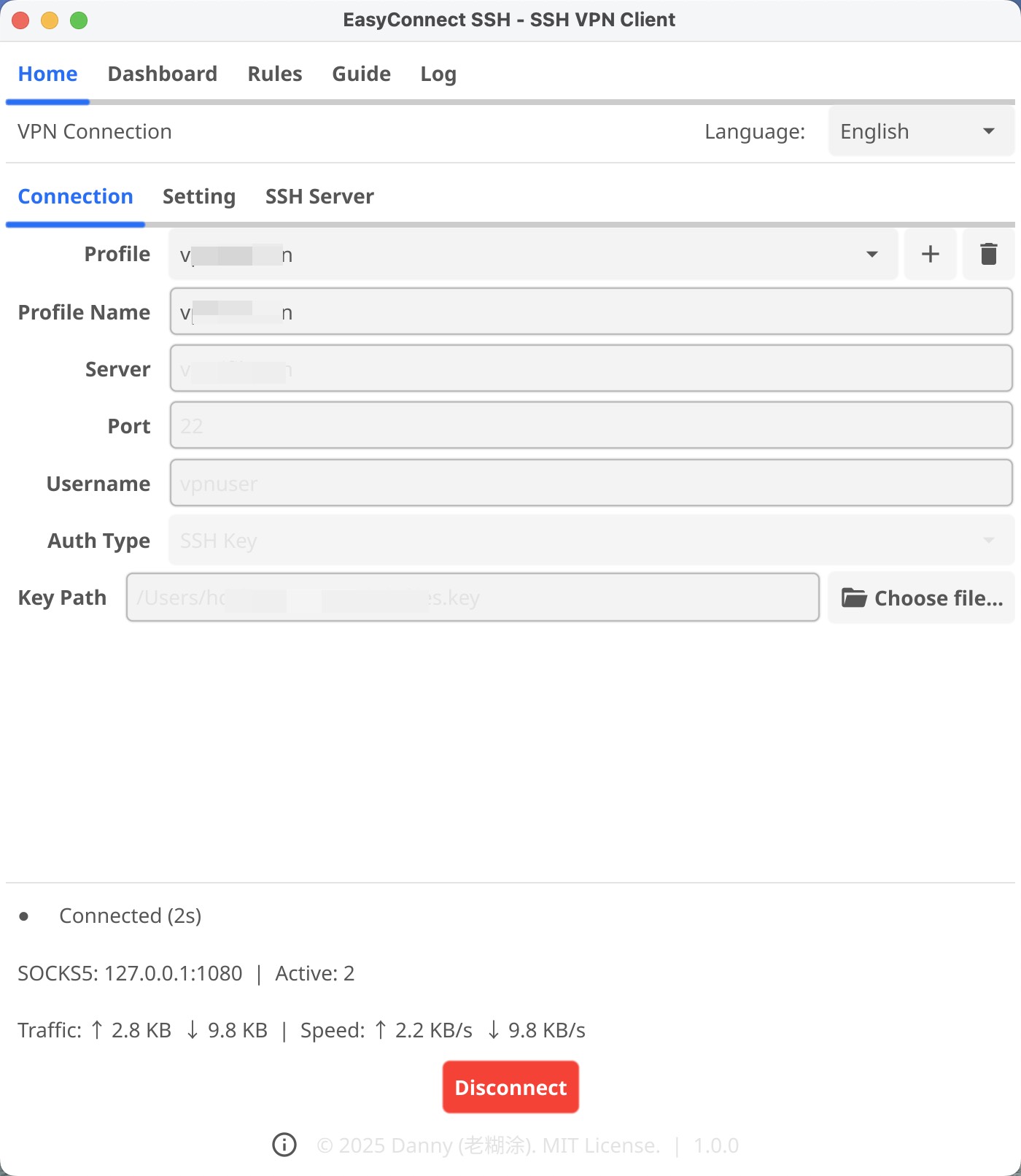
- Launch the App: Open the installed application (e.g., the
.dmgon macOS, or the.exeon Windows). - Add Profile: Click the Add Profile button to set up your connection.
- Server: Your server's IP and SSH port (e.g.,
123.45.67.89:2222). - Username: Your SSH username.
- Auth Type:
- SSH Key (Recommended): Browse to your private key file (often
~/.ssh/id_rsa). - Password: Type in your server password.
- SSH Key (Recommended): Browse to your private key file (often
- Mode:
- SOCKS5 Proxy: Creates a lightweight local proxy at
127.0.0.1:1080(you must configure individual apps like your browser to use this). - TUN Mode: Routes system traffic through a virtual network adapter for full-device managed connectivity.
- SOCKS5 Proxy: Creates a lightweight local proxy at
- Server: Your server's IP and SSH port (e.g.,
- Connect: Select the profile and tap Connect.
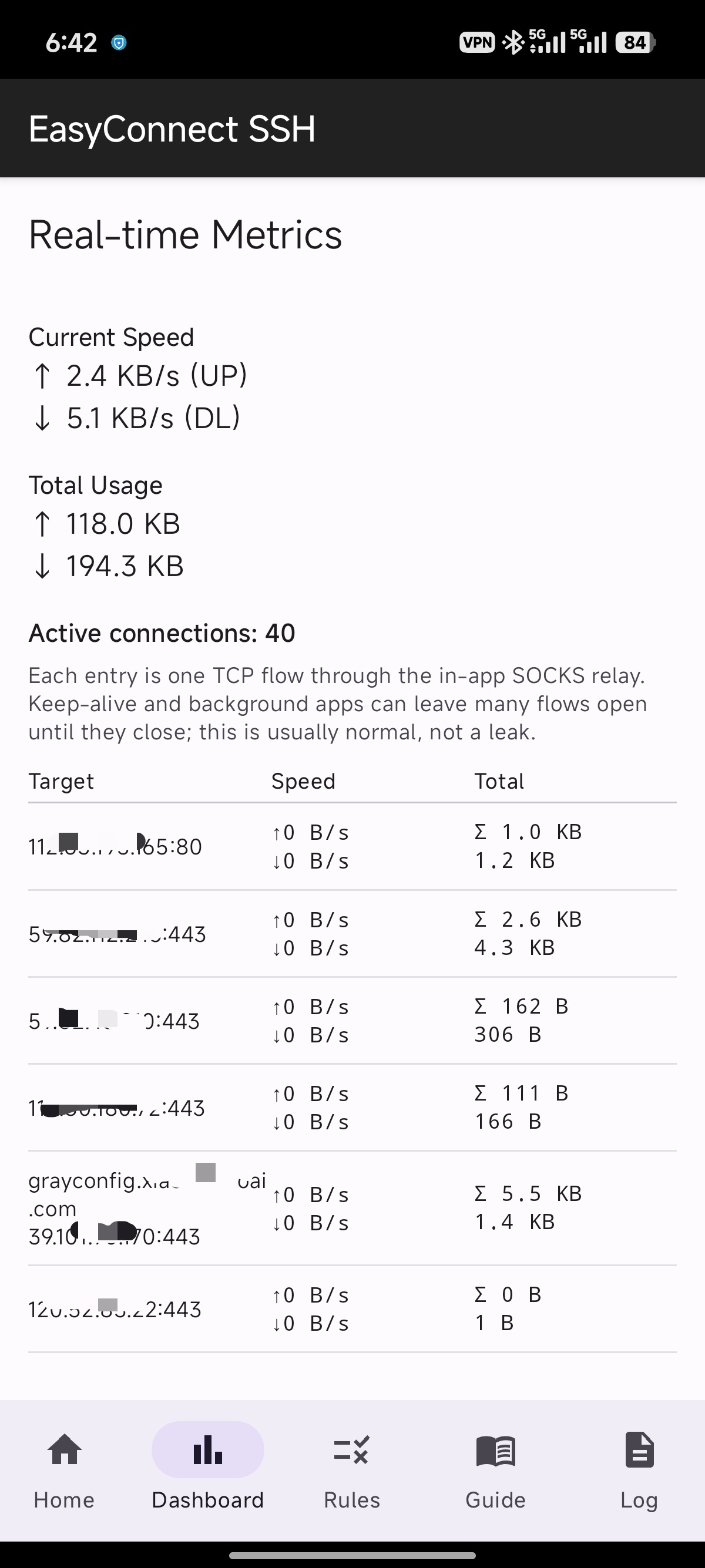
Note on TUN Mode Privileges TUN mode handles system-wide traffic by creating a virtual network adapter. It can also manage DNS resolution (binding to
127.0.0.1:53) so the operating system uses the intended resolver path. Because of this deep OS integration, using TUN mode requires Administrator/Root privileges on Windows, macOS, and Linux. If you don't have Admin access, use the SOCKS5 Proxy mode instead, which runs purely in user-space.
Smart Routing & Rules Engine
To minimize latency while keeping internal systems and local resources reachable, EasyConnect SSH includes a built-in split routing engine.
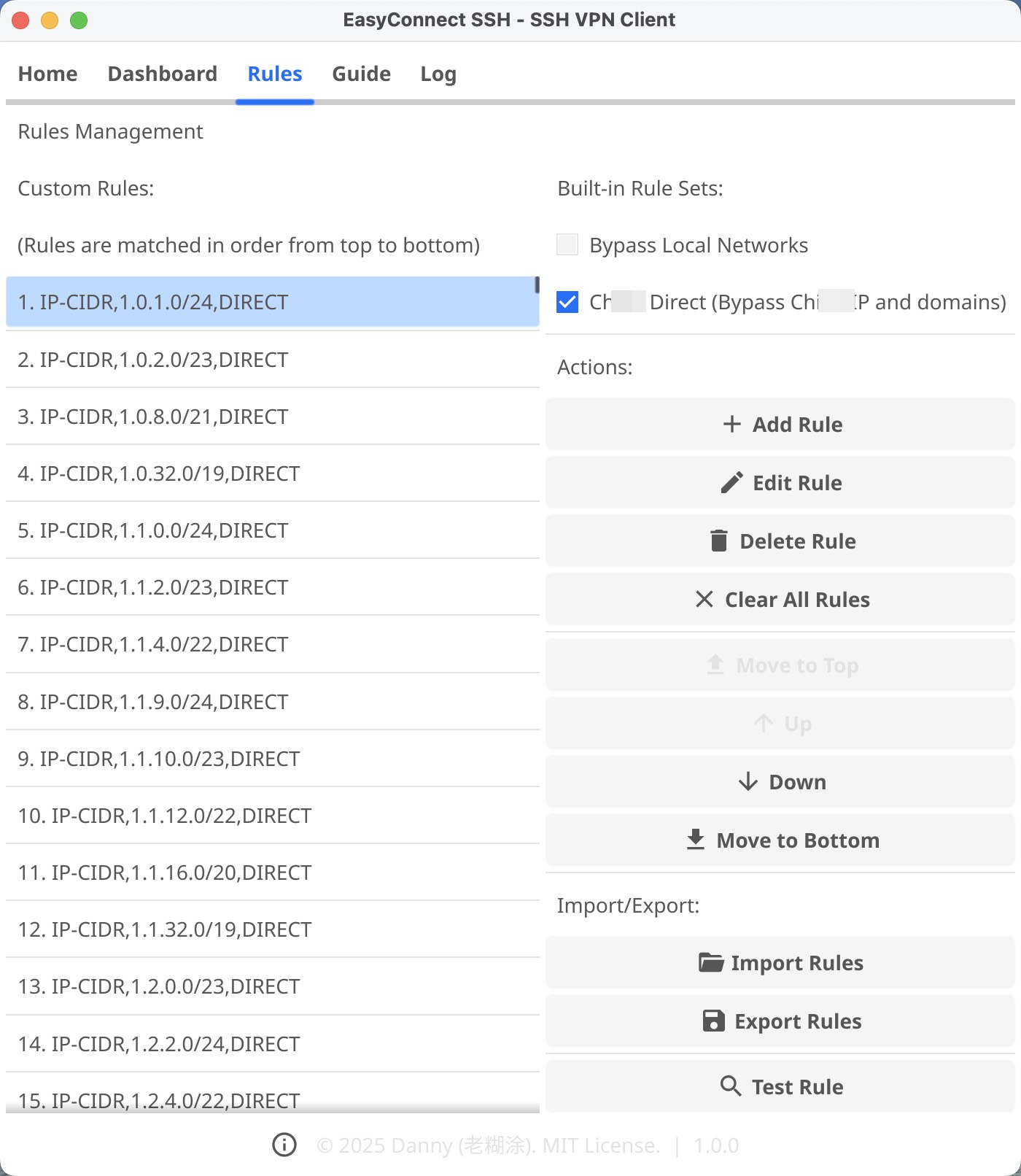
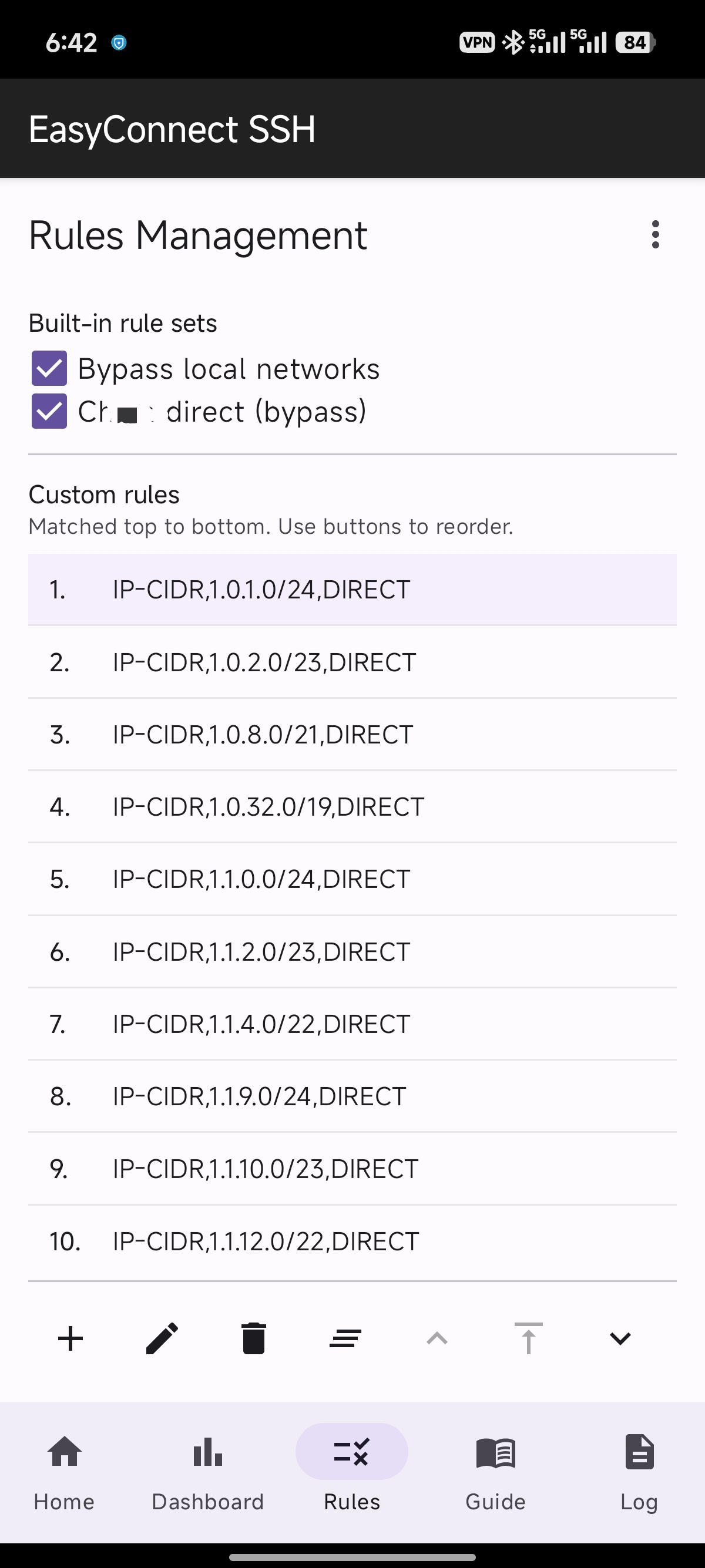
- Universal Compatibility: The rules engine syntax is 100% compatible with mainstream configurations. We organically support
DOMAIN,DOMAIN-SUFFIX,DOMAIN-KEYWORD, andIP-CIDRrules without conversion. - Easy Imports: You can import pre-authored rule lists directly into the client. For instance, you can keep all Private IPs or specific internal domains on
DIRECTwhile routing authorized remote traffic through the SSH tunnel (PROXY). - Block Intrusive Trackers: You can also inject
REJECTactions to block traffic toward known advertising and telemetry servers.
Command-Line Interface (For Advanced Users)
If you manage servers or prefer the terminal, EasyConnect SSH provides a headless daemon CLI suitable for scripting and background services.
# Example: One-off connection overriding the host
ssh-vpn-cli client -host 123.45.67.89 -port 2222 -mode socks5

# Example: Using a saved configuration profile (e.g. "WorkServer")
ssh-vpn-cli -profile "WorkServer" client
When connected via the default SOCKS5 mode, you can pipe traffic manually:
# Using curl over the ssh-vpn proxy
curl --socks5 127.0.0.1:1080 https://ifconfig.me
For a comprehensive breakdown of all available commands, refer to the CLI Reference.